Smart Watch Design
Smart Watch Design
Latest Smart Watch Design
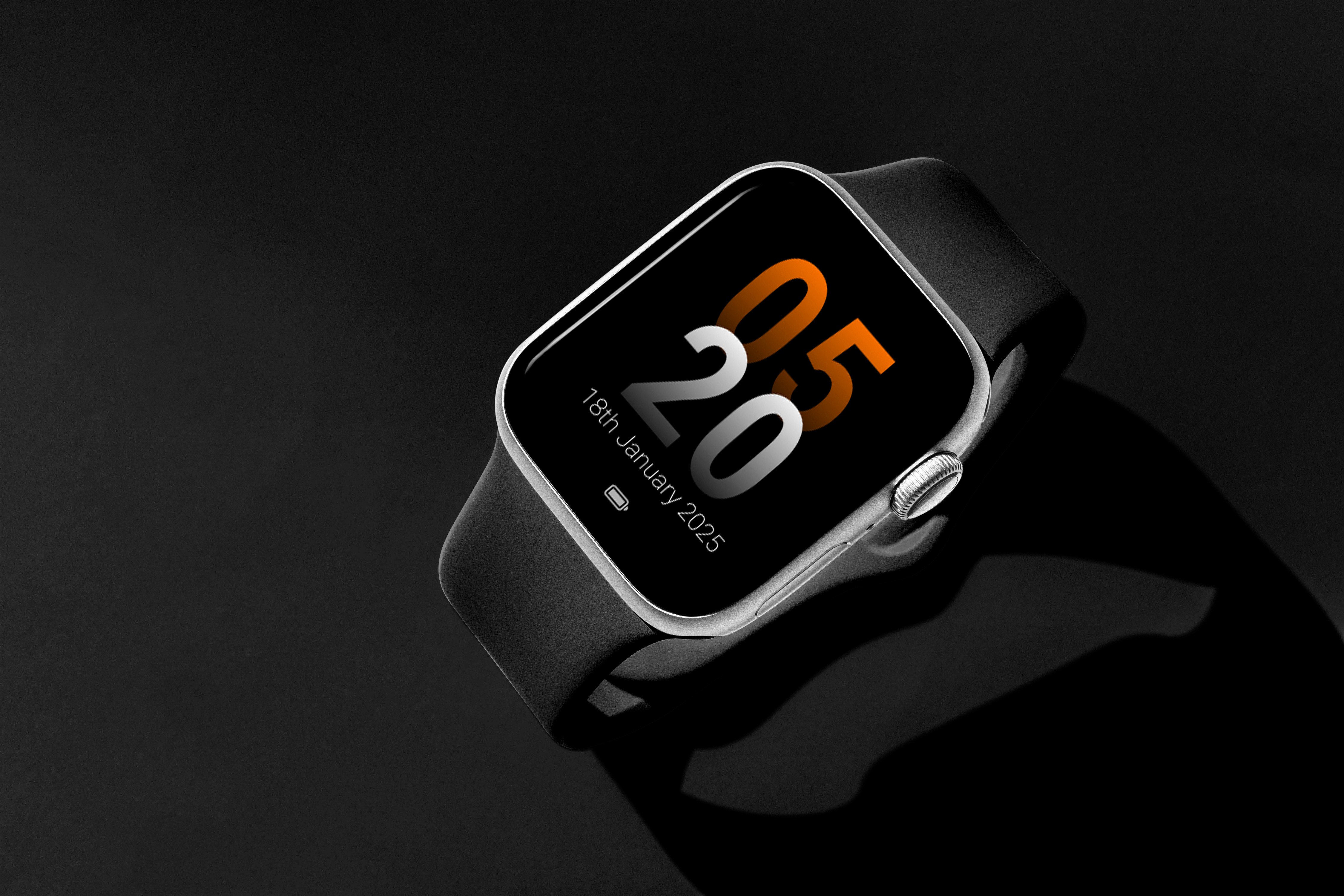
Smartwatches are essential for fitness, productivity, and quick access to information, yet many suffer from cluttered interfaces and poor navigation. This case study showcases how a Lean UX approach streamlined the design, creating an AI-powered, intuitive smartwatch experience for effortless, hands-free interaction.
Product
Smart Watch
Roles and Responsibilities
Aditya Kumar (Me)
UX Research, UI Design and Prototyping
Ashwana Murali
UX Research, UI Design
Timeline
Dec 2024 - Feb2025
PROBLEM
PROBLEM
Smartwatches have become an integral part of modern life, offering convenience, fitness tracking, and quick access to notifications. However, many smartwatch interfaces suffer from poor usability, making it difficult for users to navigate and interact with essential features efficiently.
Smartwatches have become an integral part of modern life, offering convenience, fitness tracking, and quick access to notifications. However, many smartwatch interfaces suffer from poor usability, making it difficult for users to navigate and interact with essential features efficiently.
Cluttered Layouts & Cognitive Overload
Cluttered Layouts & Cognitive Overload
Unintuitive Navigation & Interaction
Unintuitive Navigation & Interaction
Limited Adoption of Advanced Features
Limited Adoption of Advanced Features
Low User Satisfaction & Frustration
Low User Satisfaction & Frustration
SOLUTION
SOLUTION
The Designed smartwatch UI leverages AI-powered interactions, intuitive navigation, and a minimalist design to enhance usability and efficiency. By integrating gesture-based controls, voice commands, and micro-animations, the interface ensures seamless access to essential features like communication, fitness tracking, and daily utilities.
The Lean UX approach enabled rapid iterations, focusing on user needs to deliver a clutter-free, engaging, and highly functional smartwatch experience.
The Designed smartwatch UI leverages AI-powered interactions, intuitive navigation, and a minimalist design to enhance usability and efficiency. By integrating gesture-based controls, voice commands, and micro-animations, the interface ensures seamless access to essential features like communication, fitness tracking, and daily utilities.
The Lean UX approach enabled rapid iterations, focusing on user needs to deliver a clutter-free, engaging, and highly functional smartwatch experience.
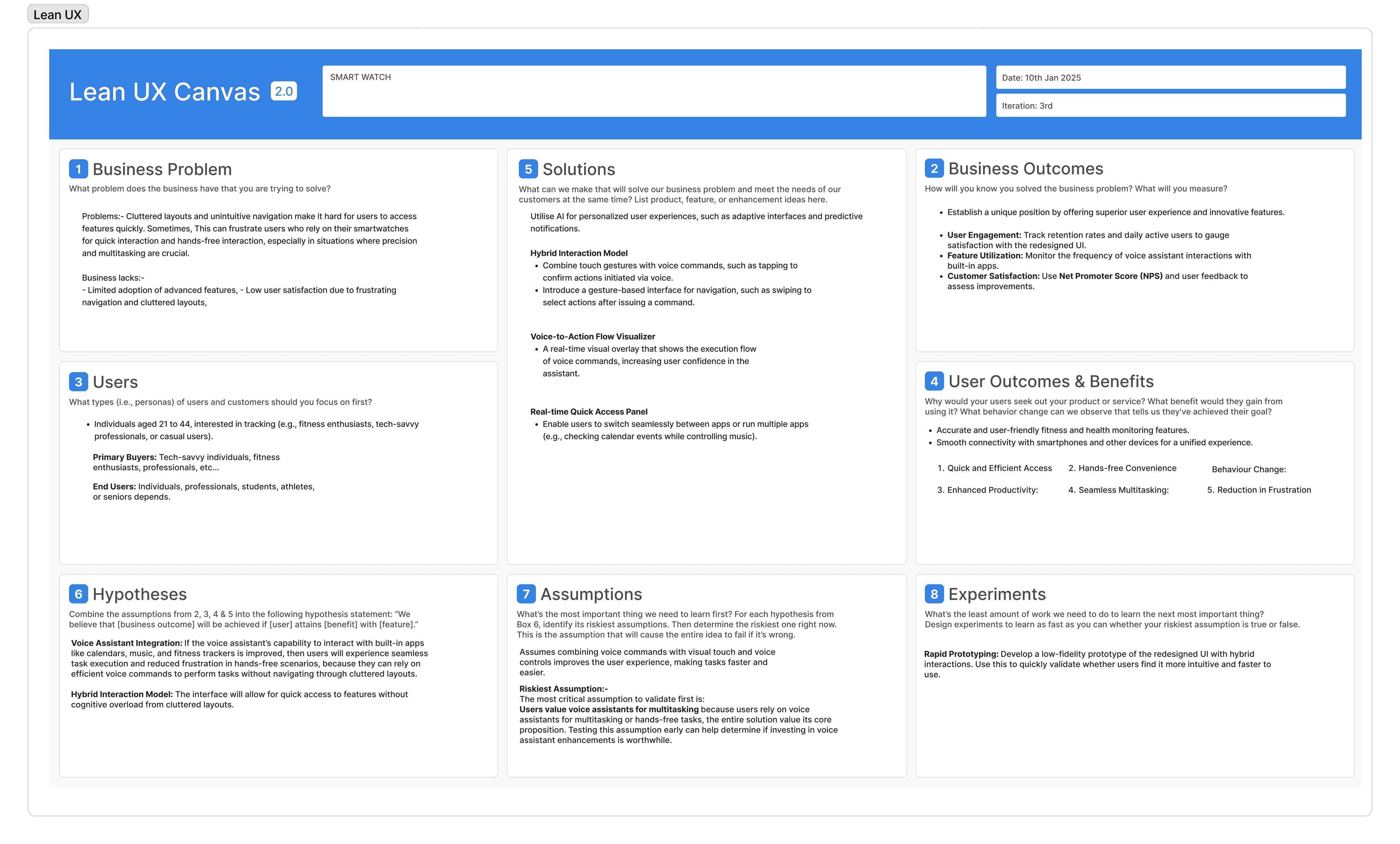
Starting with Lean UX Canvas by defining the Business Problem, Business Outcomes, Users, User Outcomes and Benefits, Solutions, Hypotheses, Assumptions and Experiments.
Starting with Lean UX Canvas by defining the Business Problem, Business Outcomes, Users, User Outcomes and Benefits, Solutions, Hypotheses, Assumptions and Experiments.
Smartwatch Home Screen
Smartwatch Home Screen
The home screen serves as the central hub for smartwatch interactions. The UI is designed to be sleek, clutter-free, and optimized for small-screen interactions.
The home screen serves as the central hub for smartwatch interactions. The UI is designed to be sleek, clutter-free, and optimized for small-screen interactions.
Interactive Charging Experience
Interactive Charging Experience
This screen displays the charging status of the smartwatch using a dynamic micro animation that visually represents the battery percentage in real time.
This screen displays the charging status of the smartwatch using a dynamic micro animation that visually represents the battery percentage in real time.
Effortless Communication on Your Wrist
Effortless Communication on Your Wrist
The messaging and calling UI is designed for quick, glanceable interactions, ensuring users can send messages or make calls with minimal effort
The messaging and calling UI is designed for quick, glanceable interactions, ensuring users can send messages or make calls with minimal effort
A Smart Hub for Health & Daily Activities
A Smart Hub for Health & Daily Activities
This UI focuses on utility applications such as weather updates, workout tracking, calculator and other essential tools.
This UI focuses on utility applications such as weather updates, workout tracking, calculator and other essential tools.
PUBLISHING SOON…
Next Project
Next Project
Aditya Kumar Designs 2025
Made with Love , a touch of Anxiety & Framer ❣️